AI Agents vs Chatbots vs RPA: Which Automation Does Your Business Need?

Manish Kumawat
Last Updated on: 19 November 2026



Automation of business tasks has become essential in a fast-moving world with customers who expect fast service. That's why today the majority of companies go for automation of their various tasks. The business process automation market is about to reach $23.9 billion by 2029.
Businesses are in a race to automate business tasks one by one. But the first confusion is: AI Agents vs Chatbots vs RPA: which automation does my business need? All three bring you automation, and all three promise less manual work. But they are not interchangeable, and the use cases are also entirely different.
Some businesses prefer AI agents and some teams believe RPA is the best. When you pick the right automation choice for your business, the benefits are countless. More important, picking the wrong one may lead to burdens that benefit.
Here we will explain AI agents vs chatbots vs RPA in very simple terms, so you can match the right tool to the work your business team actually does. Yes, here we will help you to pick the ideal automation method for your business environment.
Table of Contents
16 sectionsAI Agents vs Chatbots vs RPA: Overview
Before understanding the differences and various elements, let's see the basic information about AI agents, chatbots and RPA.
What is RPA?
Robotic process automation (RPA) is software that copies what a person does on a screen. It clicks, types, copies a value from one system and pastes it into another. You give it exact instructions, and it follows them exactly.
That is its strength and its limit. RPA is fast, cheap to run and very reliable when the process never changes. But if an invoice arrives in a new format, a button moves, or a field is missing, the bot usually stops or makes a mistake. It cannot read the situation and adapt.
Good fit: payroll data entry, moving records between two systems, nightly report generation, form filling from structured data.
What is a chatbot?
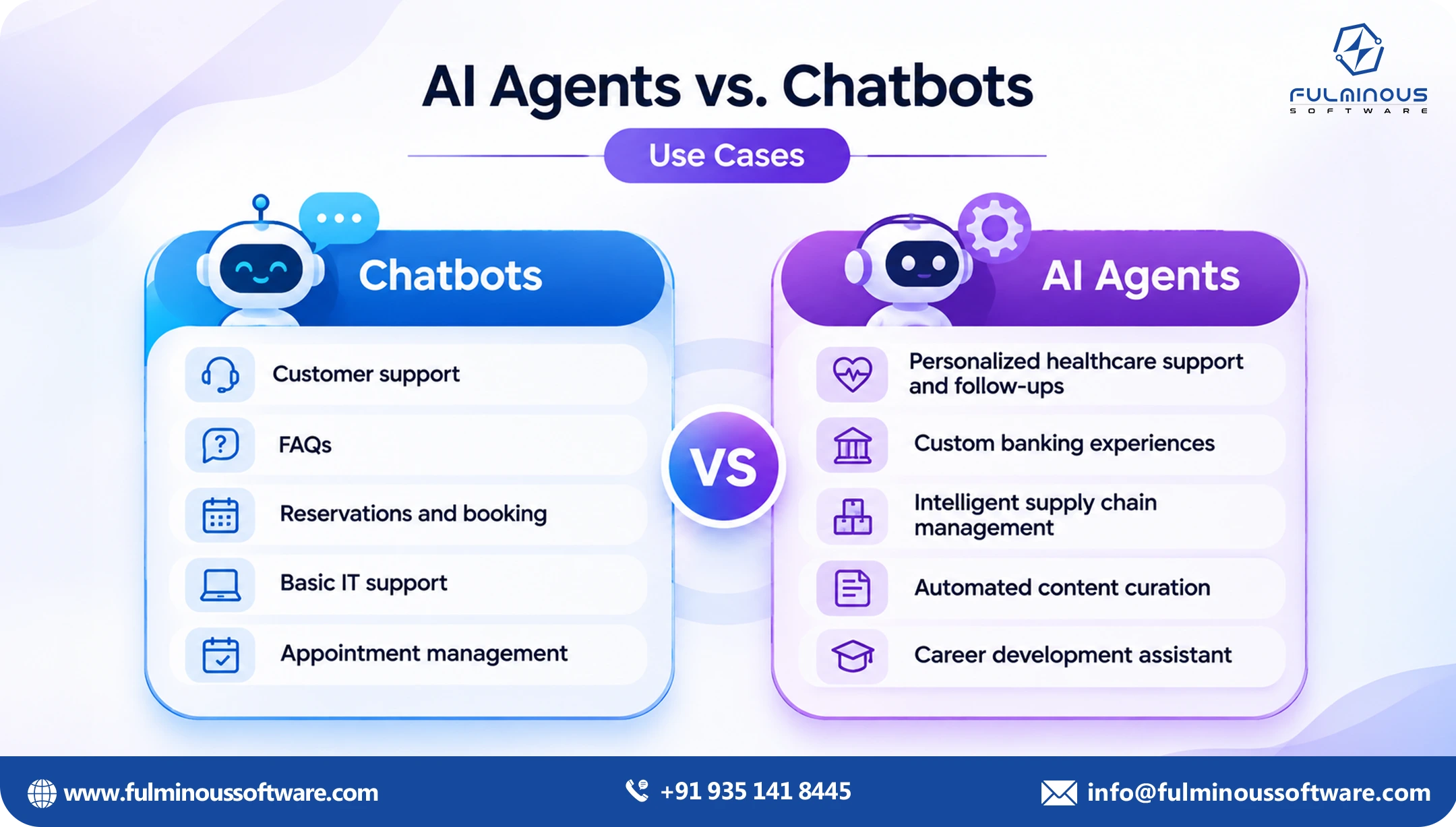
A chatbot talks to people. A basic one follows a script and picks from set answers. A newer one uses a language model to understand free-form questions and reply in natural language.
Either way, the main job is conversation: answering questions, collecting details, routing someone to the right team. Most chatbots can tell you things. Fewer can actually do things inside your systems, like issuing a refund or updating an order.
Good fit: FAQs, order status checks, appointment booking, first-line support, internal HR or IT help desks.
What is an AI agent?
An AI agent is software that is given a goal and works out how to reach it. It can read documents and messages, decide what to do next, use tools and systems, check its own results, and ask a person when it is unsure.
Think of it as a capable junior team member rather than a script. You say, "Resolve this supplier invoice dispute," and the agent pulls the invoice, checks the purchase order, compares the contract terms, drafts a reply and flags anything that needs approval.
Good fit: work that crosses several systems, involves unstructured information such as emails and PDFs, and needs a decision at more than one point.
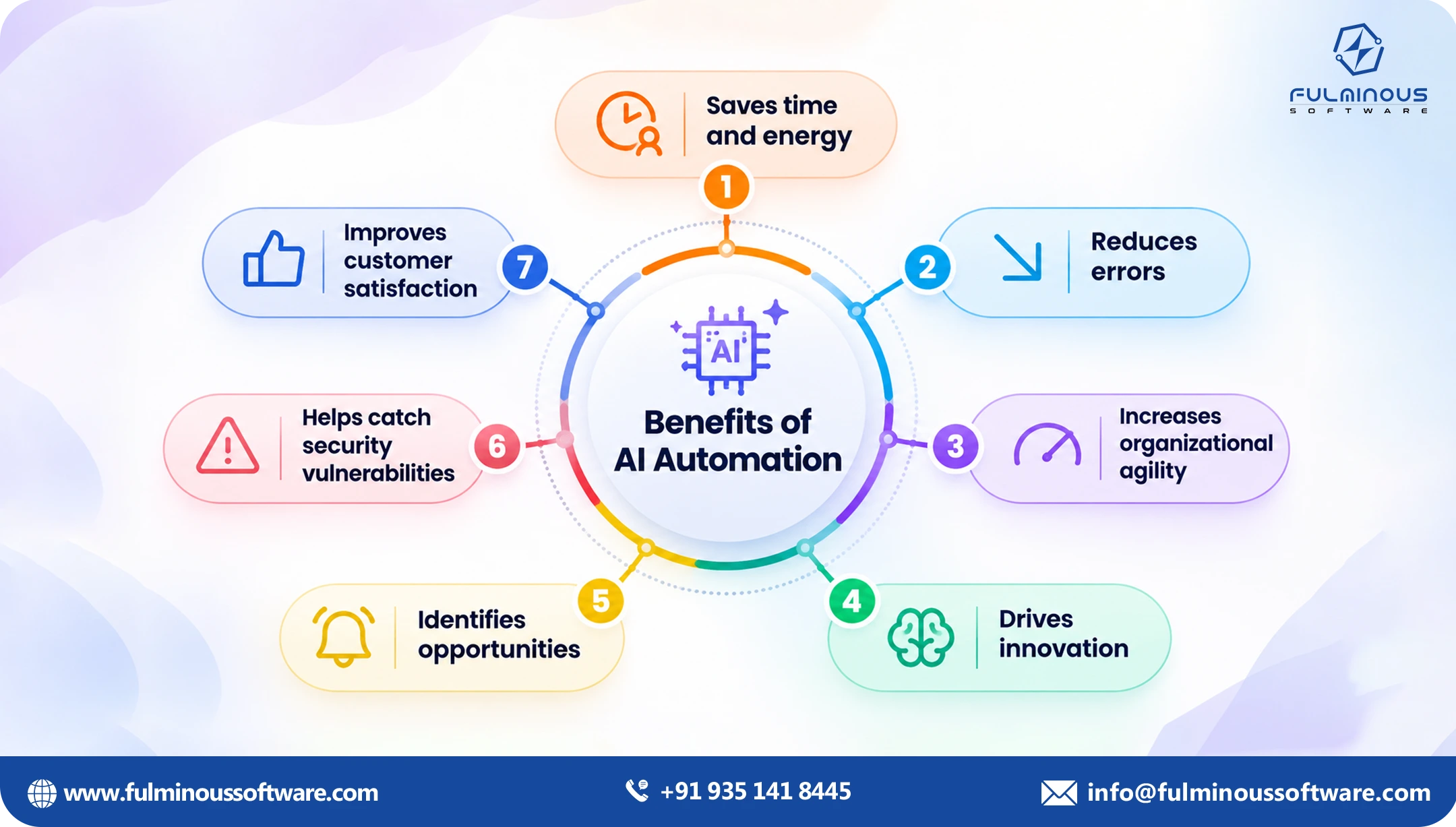
AI agent vs RPA: where the real difference sits
The easiest way to understand an AI agent vs RPA choice is to ask one question: does the process ever surprise you? The working process of AI agents and RPA itself brings the differences.
RPA follows a fixed path. If every step is known in advance, it works well. An AI agent follows a goal. It can handle a messy email, an unusual invoice or a missing field because it reads the situation instead of matching a pattern.
A few practical differences:
Input: RPA only works when the data is tidy and always in the same place, like a form or a spreadsheet. Agents can deal with messy stuff too, like emails, PDFs and free text that never looks the same twice.
Change: If a screen or file layout changes, RPA usually stops working and someone has to fix the script. Agents can handle small changes on their own, but you still need to check on them now and then.
Decisions: RPA does exactly what you told it to do, and that’s it. Agents look at the situation and decide what to do, as long as they stay within the limits you set.
Cost to run: RPA is normally cheaper per task. Agents cost more each time, but they can take on work that RPA simply can’t do.
Seeing all this, we cannot replace one with the other. In many companies, the best setup is an AI agent that handles the thinking and hands clean, structured tasks to RPA bots for the repetitive clicking.
AI agent vs chatbot: more than a smarter chat window
People often assume an agent is just a better chatbot. Is it actually correct?
A chatbot waits for a question and replies. An agent can take action. In an ai agent vs chatbot comparison, the deciding factor is usually whether the job ends with an answer or with a completed task.
If a customer asks, "Where is my order?", a chatbot can look up the status and tell them. If the order is not reached by the promised time, the customer wants a solution. An agent can check the carrier, confirm the delay, offer a replacement or refund within your policy, update the order system and log the case, all without a person stepping in.
Chatbots are the front door or initial approach point for help. Agents can take the action and help to meet the goal.
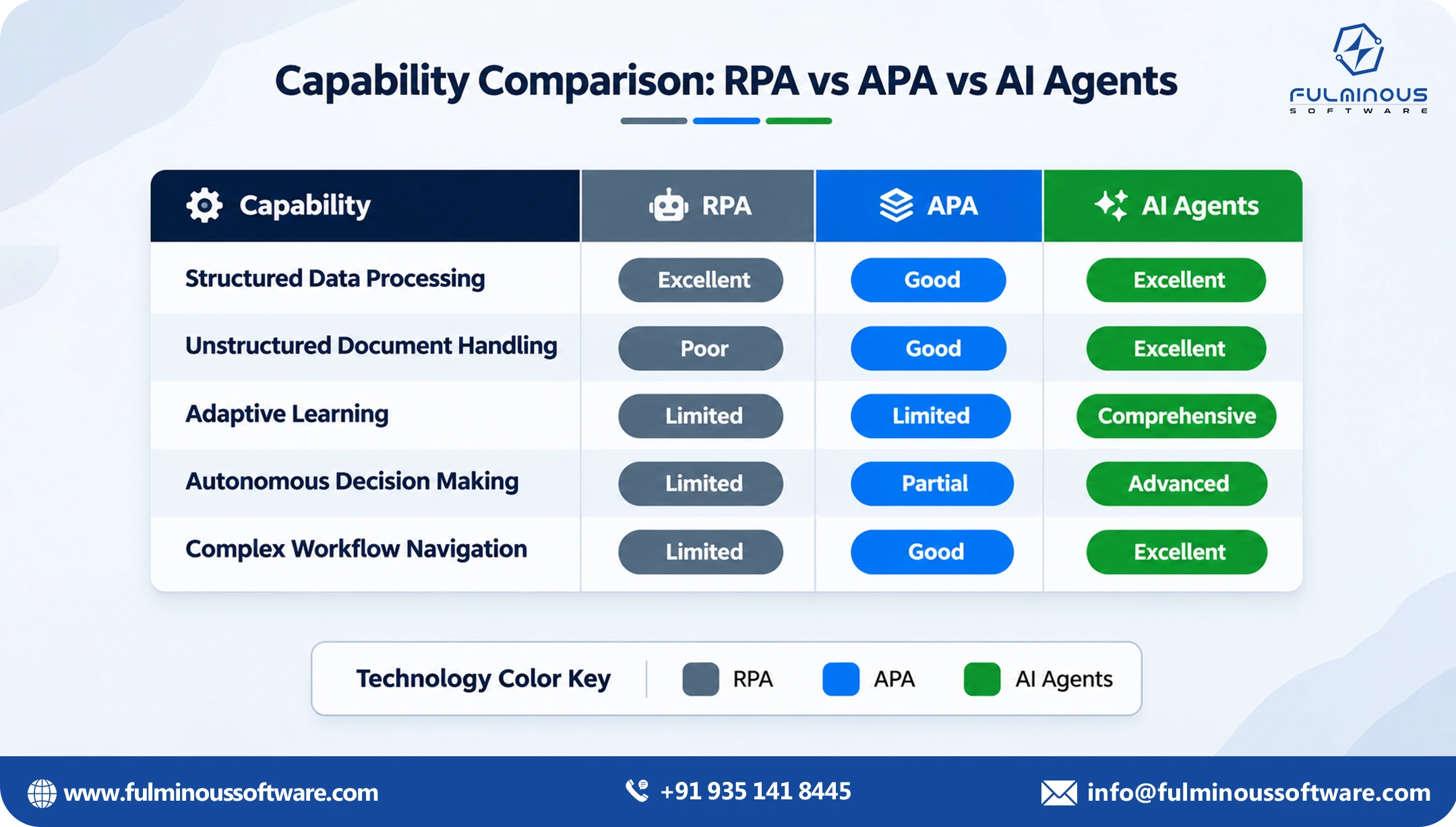
Quick comparison
| RPA | Chatbot | AI agent | |
|---|---|---|---|
| Main job | Repeat fixed steps | Talk and answer | Pursue a goal end to end |
| Handles messy input | No | Somewhat | Yes |
| Takes action in systems | Yes, by script | Limited | Yes, with judgment |
| Adapts to change | Poorly | Moderately | Well |
| Best for | Stable, high-volume tasks | Questions and simple requests | Multi-step, variable work |
| Needs human oversight | Low | Low to medium | Medium, by design |
Agentic automation use cases worth looking at first
Agentic automation is one of the methods that have plenty of use cases. If you are in search of agentic automation use cases, look for work that is repetitive but not identical. In every area of business and in every industry, we can see the use cases of agentic automation. These are common use cases where you can implement agentic automation:
Finance and accounting
- Matching invoices to purchase orders and flagging mismatches
- Chasing overdue payments with tailored follow-ups
- Preparing month-end reconciliation notes
Customer support
- Resolving refund, return and billing requests end to end
- Sorting: reading each new ticket, labelling it and sending it to the right team’s list.
- Drafting responses for agents to approve
Procurement and supply chain
- Comparing supplier quotes against requirements
- Monitoring shipments and acting on delays
- Checking supplier documents for compliance gaps
HR and internal operations
- Screening applications against role criteria
- Handling onboarding paperwork and access requests
- Answering policy questions and completing the resulting request
Sales operations
- Updating the CRM from emails and call notes
- Qualifying inbound leads and scheduling next steps
- Preparing account briefs before meetings
Have you seen the pattern? Each one involves reading something unstructured, making a call, and acting across more than one tool. That is where agentic automation use cases tend to pay off, and where scripts and chatbots stay behind.
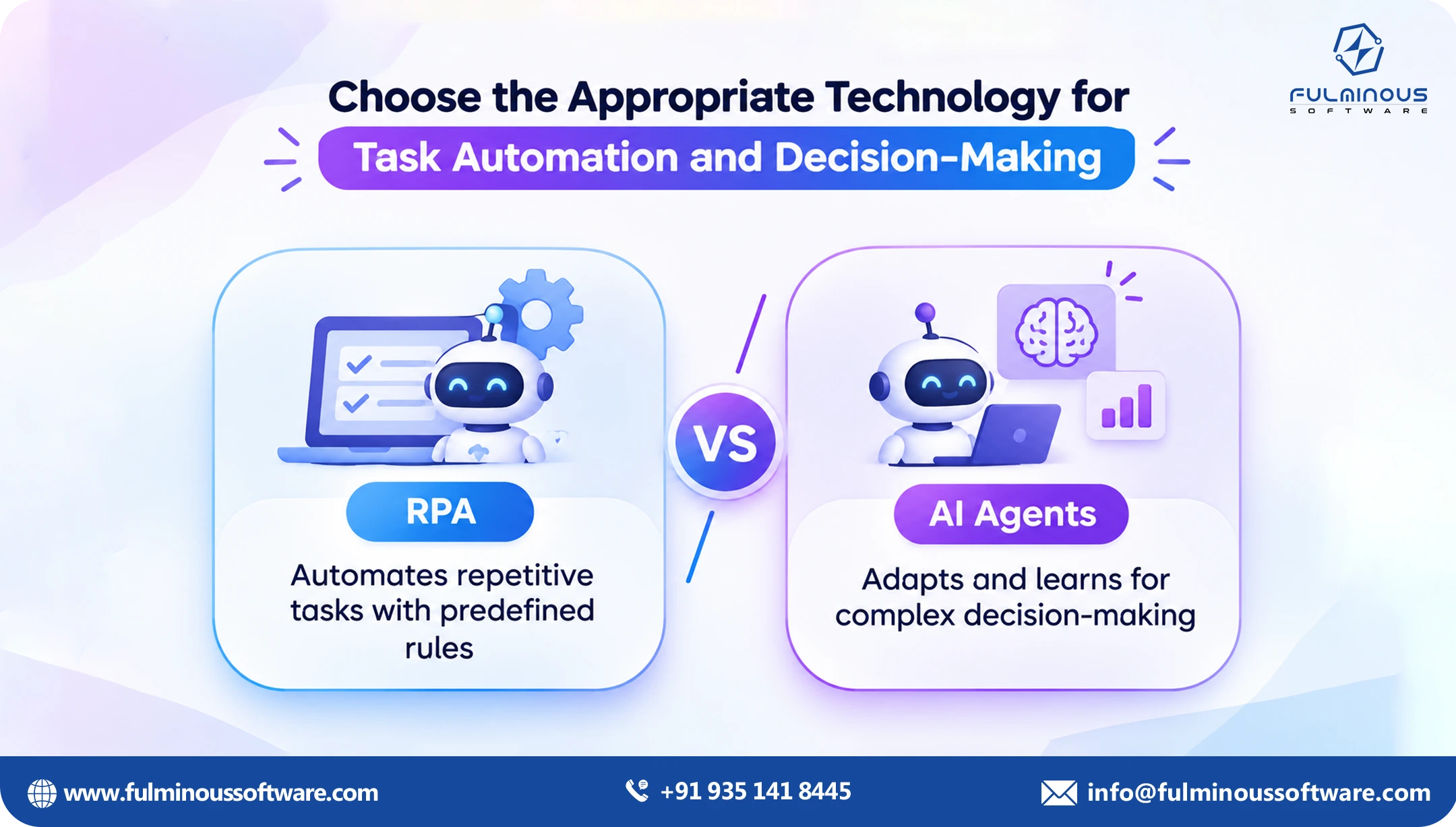
How to choose: five questions to ask
When you want to pick between AI Agents vs Chatbots vs RPA, you can run your process through these questions in order. You can ask these simple questions to your business team and find the best among AI Agents vs Chatbots vs RPA:
1. Are the steps always the same? If yes, and the data is structured, RPA is probably enough. Do not pay for intelligence you do not need.
2. Is the job mainly answering questions? If the person only wants information, a chatbot is ideal for the job.
3. Does the work involve unstructured input? Emails, scanned documents, free-text requests and chat messages point toward an agent.
4. Does it need judgment or exceptions handling? If your team spends time on "it depends" cases, an agent is a strong candidate.
5. What happens if it gets it wrong? For high-stakes decisions, you want an agent with approval steps built in, or a person in the loop. Low-risk tasks can be done with maximum freedom.
Tip: the more the process varies, the further you move from RPA toward agents. The more the job is conversation, the more a chatbot makes sense. Many real workflows need a bit of each, which is why an AI agent vs RPA or AI agent vs chatbot decision is rarely all-or-nothing.
One invoice, three tools: a worked example
Definitions only go so far, so let's follow one piece of real work through each tool. Imagine a supplier emails your finance team an invoice. The amount is higher than the purchase order, and one line item uses a different product name.
With RPA. A bot can open the email, save the PDF, and type the numbers into your accounting system, as long as the invoice looks exactly like the ones it was trained on. When the product name differs or the layout changes, the bot either fails or enters the wrong data. A person has to step in anyway and rework the mistake in the invoice.
With a chatbot. A chatbot is not built for this job. It could let someone in finance ask, "What is the status of invoice 4821?" and get a reply. That is useful, but it does not read the invoice, compare it with the order or fix the mismatch. So the mistake still remains and needs employees to work on it.
With an AI agent. The agent reads the email and the PDF, even if the format is new. It finds the matching purchase order, notices the price gap, and checks the contract for an agreed rate. If the difference is within your tolerance, it approves and posts the invoice. If not, it drafts a polite note to the supplier and asks a person to confirm before sending.
Same invoice, three very different outcomes from AI Agents vs Chatbots vs RPA. The first handles the easy version, the second answers questions about it, and the third does the actual thinking. That is the heart of the AI agents vs chatbots vs RPA decision: it is less about which tool is "best" and more about how much variation and judgment the task contains.
How the three work together
Many businesses prefer to use all of these in a mix. It helps to stop thinking of these as AI Agents vs Chatbots vs RPA. In a well-run operation, they often sit in layers. Just like dividing the tasks by types.
The chat layer is where people ask for things: employees, customers or suppliers type a request in plain language.
The agent layer understands the request, decides what steps are needed, and handles exceptions.
The RPA layer carries out repetitive, fixed actions inside older systems that have no modern integration.
Take an employee who asks, "Please move my laptop request to approved and order the standard model." The chatbot takes the message. The agent checks policy, confirms the budget and picks the right model. An RPA bot then keys the order into a legacy procurement portal that has no API.
Seen this way, the AI agent vs RPA question becomes a design question: which steps need thinking, and which just need doing? Your existing RPA investment is rarely wasted. An agent can often direct the bots you already have, which saves you from starting over.
The same goes for your chatbot. If customers are happy with the conversation but the answers stop short of action, an agent behind the chat window is a lower-risk upgrade than a full rebuild. In the AI agent vs chatbot discussion, this is often the most practical path: keep what works at the front, and add capability behind it.
Common mistakes to avoid
When you go ahead with automation of business tasks, you need to eliminate the mistakes:
Using RPA on a process that keeps changing. You will spend more time repairing bots than saving time.
Mixing up a chatbot and an agent: If it can only talk and can’t actually do anything, it won’t take any work off your team’s plate.
Automating a process that’s already broken: Sort out the process first. Otherwise you’ll only end up making the same mistakes, just quicker.
Skipping guardrails. Agents need clear limits, approval points and logs. Decide these before launch.
Starting too big. Pick one process, prove the result, then expand.
How to measure whether it is working
Automation without numbers is just an imagination or a hopeful story. Before you start business automation, record a baseline for the process you plan to improve, then track the same figures after implementing automation methods. Keep the list short:
Time per case: how long the work takes from start to finish.
Cost per case: staff time plus any tool or usage costs.
Error or rework rate: how often something has to be fixed or redone.
Straight-through rate: the share of cases completed with no human touch.
Escalation rate: how often the system asks a person for help, and whether those requests are sensible.
User satisfaction: what employees or customers say about the experience.
For an AI agent, the straight-through rate and the escalation rate matter most. A good pattern is a rising straight-through rate over the first few months, with escalations that are genuinely hard cases rather than easy ones the agent should have handled.
For RPA, watch how regularly bots break after a system change, because repair time can quietly take the savings. For a chatbot, watch how many conversations end with the person getting what they came for, not just how many conversations take place.
A simple 90-day rollout plan
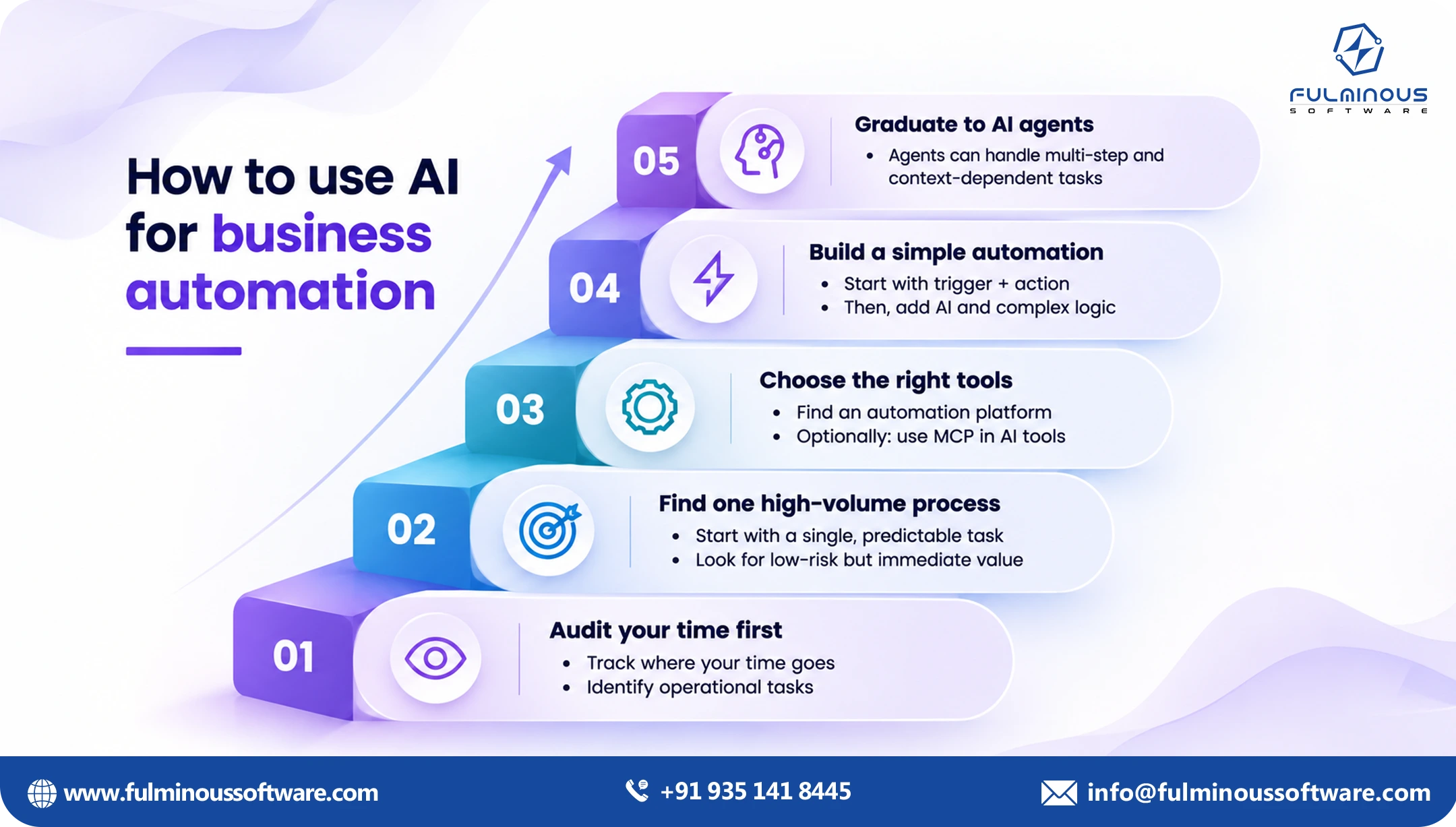
You do not need a long programme to learn what works. A focused ninety days is enough to test one process properly.
Days 1 to 30: choose and map. Pick one process using the assessment below. Walk through it with the people who do it every day, write down the steps, the exceptions and the systems involved, and agree on the success measures.
Days 31 to 60: build and test. Build a first version and test it on real, past cases. Check what it answered against what your team actually did in the same cases. Fix gaps, tighten the rules, and decide where a person must approve before anything happens.
Days 61 to 90: run with oversight. Put the solution into live use with a person reviewing its work. Track your measures weekly. If results hold up, loosen the oversight step by step and start planning the next process.
A small success gives you real numbers, real user feedback and a team that trusts the approach, which makes the next project far easier to approve.
Risks and guardrails to plan for
Agents can act, so they need boundaries. Good teams settle these questions before launch rather than after the first surprise.
Permissions: give the agent access only to what the task needs, nothing more.
Approval points: require a person to sign off on payments above a set amount, contract changes, or anything sent outside the company.
Audit trail: log what the agent saw, what it decided and what it did, so you can review any case later.
Fallbacks: decide what happens when the agent is unsure or a system is down. Handing the case to a person should always be simple.
Data handling: check where information is stored and who can see it, especially for personal or financial data.
Ongoing review: sample the agent's work regularly, the same way you would check a new hire's first months.
These steps are not red tape. They are what make it safe to give AI agents for business processes real responsibility, and they are usually what turns a promising pilot into something leadership is comfortable scaling.
Getting started with AI agents for business
The smartest way to get going with AI agents in your business is to pick one small job and make sure you can measure how well it goes. Choose one process that is costly, repetitive and has a clear success measure, such as time per case or error rate. Build around that, test it with real data, keep a person in the loop at first, and widen the agent's freedom as trust grows.
You don’t have to throw out the tools you already have. Agents can work alongside your current systems and use them as they are. If you want a closer look at what a full programme involves, our AI automation services page covers how we approach it, and this guide on how AI agent projects are priced explains what drives budget up or down.
Why choose Fulminous Software for Business Automation
Many businesses want to adopt business automation, but are still confused about the first step. The first step to choose the right automation and implement it within your budget is to connect with an AI automation expert team.
Fulminous Software is a top AI development company with automation proficiency. Our AI development experts have served more than 20 businesses in various industries to automate their business tasks with the right tech. We have offered AI automation services with AI agents, chatbots and RPA.
If RPA or a chatbot is the better answer for a job, we will tell you. You only pay for an agent or RPA where it makes sense or delivers results. Our work connects to the systems your teams already use, with approval steps, logs and clear limits built in from day one. We favour a focused first project with a measurable result over a big, vague roadmap.
Your operations people stay involved, so the final solution fits how work actually gets done. From scripted automation to custom agents, one team can help you combine the right pieces. To see how Fulminous Software builds these systems, visit our AI agent development company page.
Not sure which one you need? Run a use-case assessment
Before you commit budget, list three to five processes that slow your team down. For each one, note:
- How often it runs and how long it takes
- How structured the input is
- How many systems it touches
- How often exceptions come up
- What a mistake would cost
Then score each process: fixed and structured points to RPA, question-and-answer points to a chatbot, and variable, multi-step and judgment-heavy points to an AI agent. That short exercise usually shows where the quick wins are, and which agentic automation use cases deserve a pilot first.
Request an automation opportunity review. Our team will look at your workflows, identify where RPA, chatbots or AI agents fit, and give you a clear, prioritised list of next steps. Get in touch with Fulminous Software to book yours.
FAQs
Q1. What is the main difference between AI agents vs chatbots vs RPA?
RPA repeats fixed steps, a chatbot holds a conversation, and an AI agent works toward a goal by deciding what to do next and acting across systems. Think of AI agents vs chatbots vs RPA as a script vs spokesperson vs team member.
Q2. Is an AI agent better than RPA?
Not always. For stable, structured tasks, RPA is simpler and cheaper. Agents are better when inputs vary or judgment is needed. Many teams use both together.
Q3. Can an AI agent replace my chatbot?
It can, if you want the assistant to complete tasks rather than only answer questions. Many companies keep the chat interface and put an agent behind it.
Q4. Will AI agents replace my staff?
In most cases they take over repetitive parts of the job so your people can focus on exceptions, relationships and decisions. Good designs keep a person in charge of anything high-stakes.
Q5. How do I know if my process is right for an agent?
Look for work that is frequent, involves reading documents or messages, touches more than one system, and has regular exceptions. If it also has a clear success measure, it is a good candidate.
Q6. Are AI agents safe to use with company data?
They can be, when built with proper access controls, audit logs, approval steps and data handling rules. Ask any provider how they manage permissions and what the agent is allowed to do.
Q7. How long does it take to get a first AI agent working?
A focused first project is often delivered in weeks rather than many months, though the timeline depends on the process, the data and how many systems are involved.
Q8. Do I need to replace my existing software to use AI agents?
No. Agents are designed to work with the tools you already have, using integrations, APIs or, where needed, interface-level actions.
Q9. Which agentic automation use cases give the fastest return?
Typically high-volume work with clear rules plus some variation: invoice matching, support ticket resolution, onboarding requests and supplier follow-ups are common first picks.
Q10. What is the best first step if I am unsure about AI Agents vs Chatbots vs RPA?
Begin by reviewing how your work is done today. This shows you which jobs a simple script can handle, which a chatbot can answer, and which need an agent. With that picture in hand, you can decide what to tackle first before putting money into building anything.
 Verified
Expert in Software & Web App Engineering
I am Manish Kumawat, co-founder of Fulminous Software, a top leading customized software design and development company with a global presence in the USA, Australia, UK, and Europe. Over the last 10+ years, I am designing and developing web applications, e-commerce online stores, and software solutions custom tailored according to business industries needs. Being an experienced entrepreneur and research professional my main vision is to enlighten business owners, and worldwide audiences to provide in-depth IT sector knowledge with latest IT trends to grow businesses online.


Partner with Top-Notch Web Application Development Company!
Discuss your Custom Application Requirements on info@fulminoussoftware.com or call us on +91-935 141 8445.
15 Days Risk-Free Trial