RAG Chatbot Development: Cost, Architecture & Fine-Tuning

Manish Kumawat
Last Updated on: 18 November 2026



When businesses plan about building chatbots, RAG chatbots come at the first choice. Especially, the role of RAG chatbots in customer support services is incredible. Do you know that a Standard business RAG chatbot can be developed at ~$10,000–$25,000 and within 4–8 weeks with a defined knowledge base?
Suppose your company has a mountain of documents. Policies, product manuals, contracts, support tickets, wiki pages. Somewhere in that huge mountain of data sits the answer a customer or an employee needs right now. A RAG chatbot can find and answer fast. Yes, nobody, including the most efficient employee, can find it fast enough.
So when businesses say, “Let’s build a chatbot,” Then the hard questions come up. Shall we go for RAG chatbot development? Will it make things right? How do we keep it current? What will it cost? Do we need to train our own model?
Here, we will answer all those questions in very simple words. This guide will be highly useful for product and IT leaders who are planning to add chatbots to their businesses. We will look at how a RAG chatbot works, the parts you need, what influences the price, how RAG compares with fine-tuning, and where projects tend to go wrong.
If you are planning RAG chatbot development, you can make the right decisions and build the best RAG chatbot with this complete guide.
Table of Contents
12 sectionsWhat Is Retrieval Augmented Generation for Business?
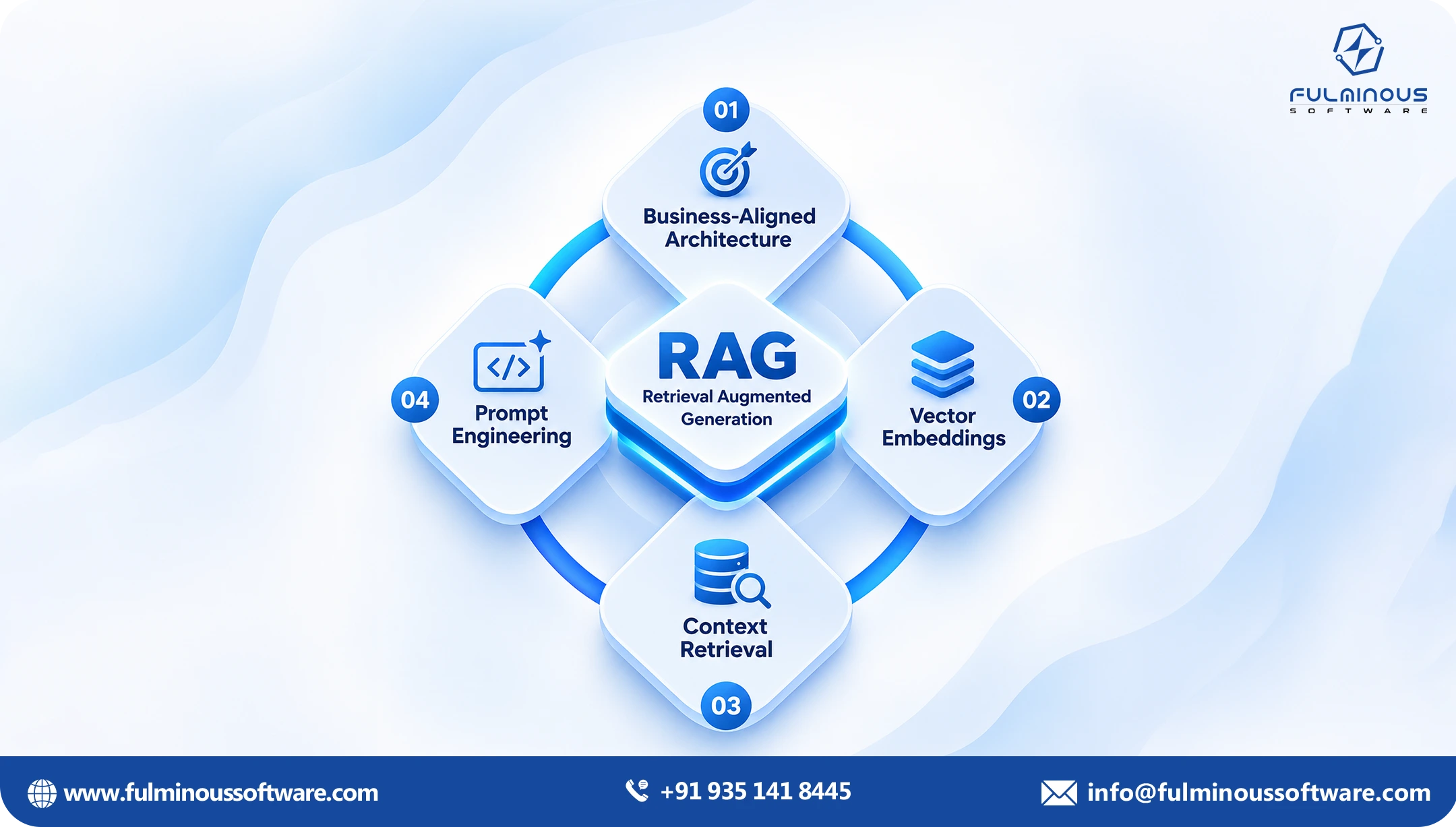
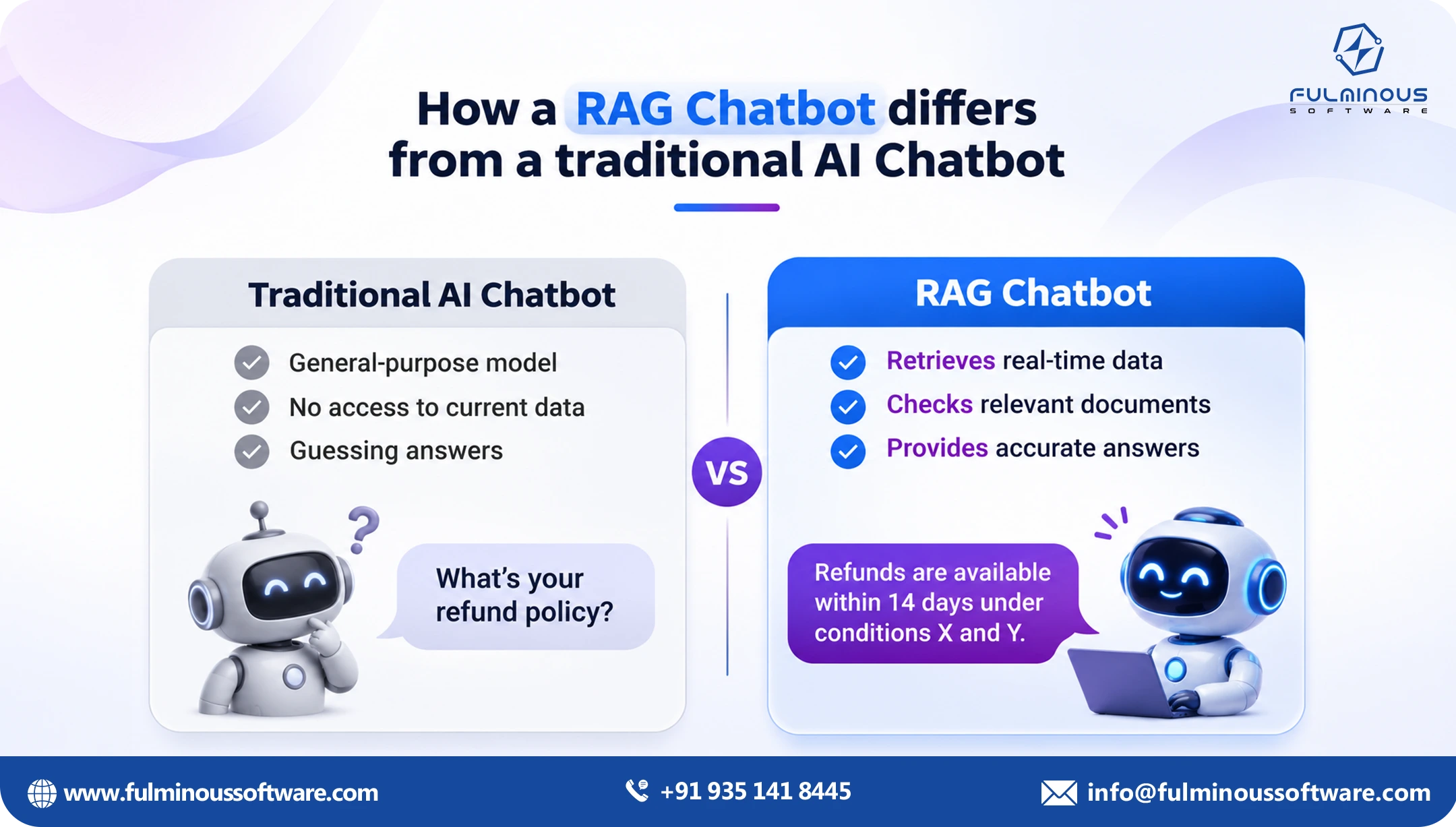
RAG stands for retrieval augmented generation. The name may feel tough, but the idea is simple. RAG lets a chatbot evaluate your own documents before it delivers answers, so replies come from the core of your content and not from prediction or guesswork. If your goal is accurate answers from company documents, RAG is the right place to start.
When we see it in detail: A large language model (LLM) such as GPT, Claude or Gemini knows a lot about the world. It knows nothing about your company. It has never read your pricing sheet, your leave policy or last week’s product update. And when it does not know something, it often guesses, in a calm and confident voice. People call this a hallucination. This brings wrong or inaccurate information to customers.
RAG fixes this by adding a lookup step. When someone comes with a concern or question, the system first searches your given database and pulls out the only passages that matter. It then hands those passages to the model and says, in effect, “Answer using only this.” The reply comes from your content, not from the model’s memory.
Think of an open-book exam. A plain LLM sits the exam from memory. A RAG chatbot is allowed to open your company database, find the right page and answer from it. It can even tell you which page it used. Here is why businesses like this approach:
Grounded answers. The reply is built from your approved documents.
Sources you can check. The chatbot can reveal the source of each answer.
Easy updates. When a policy changes, you update the document. You do not retrain a model.
Access control. You can control and decide access to the data.
Private data stays private. Your files remain in your own setup.
Where a RAG Chatbot Fits (and Where It Does Not)
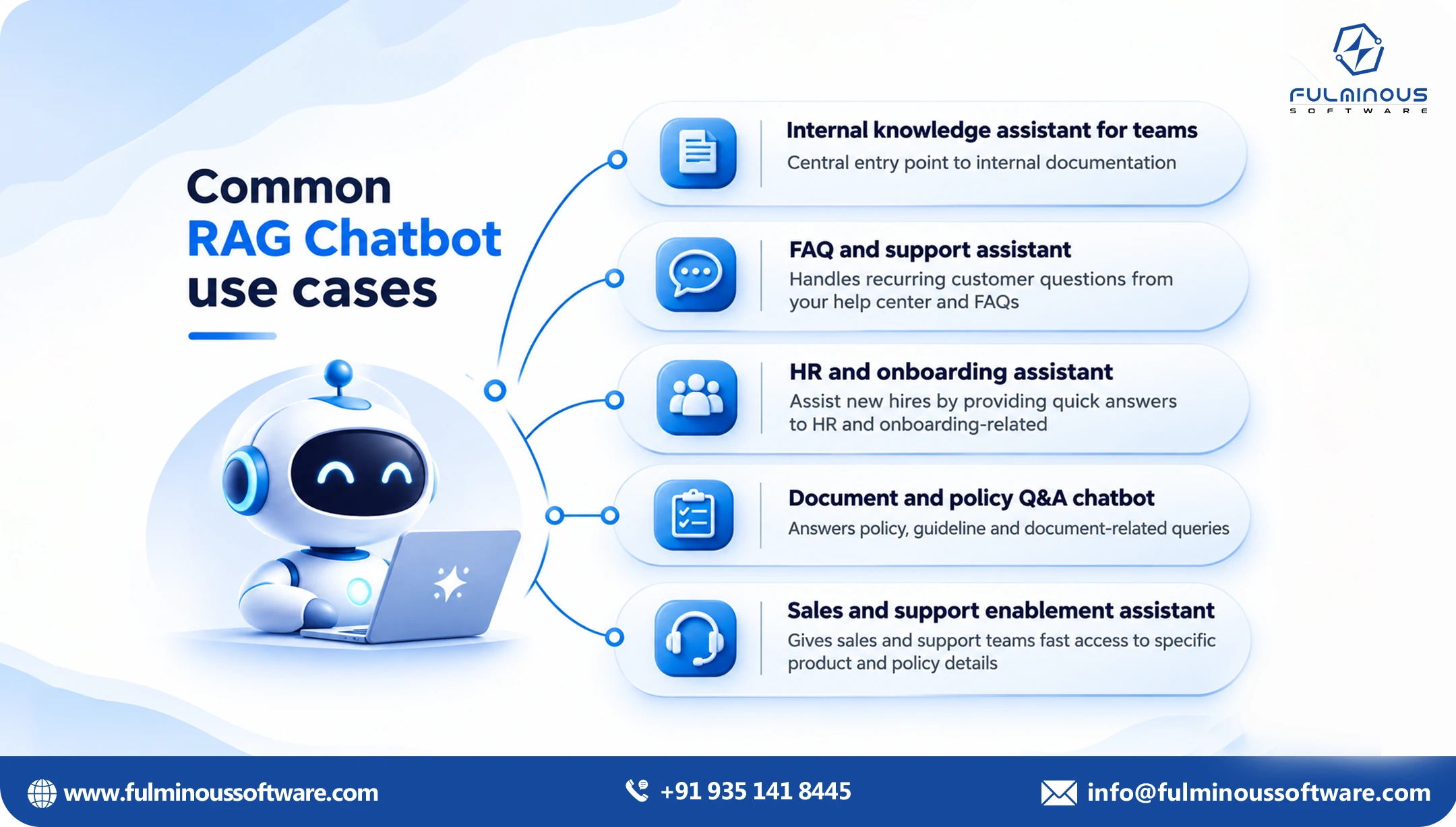
Before going ahead with RAG chatbot development, it's good to evaluate whether it works for your business environment and goals. Retrieval augmented generation for business works best when the answer already exists in writing somewhere inside your company data. Common uses include:
Internal help desks. HR, IT and finance questions answered from policy documents.
Customer support. Answers drawn from help articles, manuals and past tickets.
Sales enablement. Reps ask about features, pricing rules and case studies and get a straight answer.
Compliance and legal. Staff check a rule or a clause without waiting for a reply from a specialist.
Technical documentation. Engineers and field teams find the right procedure fast.
Retrieval augmented generation for business is a weaker fit when there are no documents or incomplete data behind the question, for example, pure creative writing. It is also not enough on its own when the chatbot has to take actions, like booking a refund or updating a record. For that, you add tools and workflows on top of RAG. Our team covers this kind of build under generative AI development services.
How a RAG Chatbot Works, Step by Step
Every RAG system has two parts. One part of RAG prepares your documents ahead of time. The other part answers questions quickly when people ask them.
Part 1: Getting your documents ready
Now we can see how RAG prepares the documents to get ready for the task:
Collect the sources. PDFs, Word files, Confluence, SharePoint, Google Drive, help desk tools, databases and websites.
Clean and read them. Remove headers, footers and clutter. Handle tables properly. Use OCR for scanned pages.
Split into chunks. Long documents are cut into smaller pieces, often a few hundred words each. Good chunking keeps a heading with its paragraph so the meaning is not lost.
Turn chunks into vectors. Each chunk is changed into a set of numbers that stands for its meaning. Chunks on similar topics get similar numbers, which makes them easy to match with a question.
Store them. The vectors go into a vector database, along with notes such as source, date, department and who is allowed to view it.
Part 2: Answering a question
Now comes the task stage where users ask questions to RAG systems. The RAG system answer any question through a planned process:
The user asks. For example, “What is our refund window for annual plans?”
The question is cleaned up. If it is a follow-up like “and for monthly?”, the system rewrites it so it makes sense by itself.
The system searches. It finds the terms and answers that match the meaning of the asked question. The better systems also search for the exact words, and using both together is called hybrid search.
The results are re-ranked. A second model sorts the top results so the best ones come first.
The prompt is built. The question, the best chunks and a set of rules go to the LLM.
The model writes the answer. It uses the chunks and adds citations.
Checks and logging. The system can block unsafe replies, say “I don’t know” when the documents do not cover the question, and record feedback so you can improve it.
In these simple two parts RAG chatbots answer the users with accurate data that is already available in your business database.
The Main Building Blocks
We can break the structure of RAG chatbots to many individual components. Now we can see the structure or building blocks of the RAG chatbot in a very simple way. Here is what comes inside a typical RAG chatbot development, and a few common choices for each piece.
| Part | What it does | Common options |
|---|---|---|
| LLM | Writes the final answer | GPT, Claude, Gemini, Llama, Mistral |
| Embedding model | Turns text into vectors | OpenAI, Cohere, open-source models |
| Vector database | Stores and searches vectors | Pinecone, Weaviate, Qdrant, pgvector, OpenSearch |
| Orchestration | Connects the steps | LangChain, LlamaIndex, custom code |
| Re-ranker | Improves search results | Cohere Rerank, cross-encoder models |
| Evaluation | Measures answer quality | Ragas, custom test sets |
| Hosting | Runs everything | AWS, Azure, Google Cloud, on-premises |
A small truth about RAG chatbot development: the model is the easy part. Most of the tough work goes into the data pipeline and search quality. If retrieval brings back the wrong passages, even the best LLM will write a wrong answer.
The choices that decide quality
Chunking. Chunks that are too small lose context. Chunks that are too big bring in noise.
Hybrid search. Meaning-based search misses exact terms like product codes or clause numbers. Keyword search catches them.
Metadata filters. Filter by product, region, date or department so the bot does not mix old and new rules.
Permissions. A junior employee should not get an answer built from a board paper as a senior or management team does.
Citations. Every answer should point to a source a person can open.
A safe fallback. When the answer is not in the documents, the bot should say so.
Testing. You need a list of real questions with known good answers, and you run it every time something changes.
RAG vs Fine Tuning: What Is the Difference?
What is the difference between RAG and fine-tuning? This is the question we hear most. Both approaches adapt an AI model to your needs, but they do different jobs.
Fine-tuning means training an existing model for your own tasks. It changes the entire model and how the model behaves: its tone, its format, the way it handles a narrow task. But it is not a reliable way to teach the model a large set of facts, and those facts go stale the day after training.
RAG leaves the model as it is and gives it the right information at the moment of the question.
The simplest way to see RAG vs fine tuning is as knowledge versus behaviour. RAG supplies knowledge. Fine-tuning shapes behaviour.
| Factor | RAG | Fine-tuning |
|---|---|---|
| Best for | Answering from changing documents | Fixed style, format or narrow tasks |
| Fresh information | Update the document and it is live | Needs another training run |
| Source citations | Yes, built in | Not natural |
| Access control | Can follow document permissions | Hard to control once data is in the model |
| Setup effort | Data pipeline and search | Labelled examples and training |
| Time to first version | Weeks | Often longer |
| Risk of made-up answers | Lower, when retrieval is good | Still present |
| Running pattern | Search and model usage per question | Training cost plus hosting a custom model |
When RAG beats fine-tuning
Then comes the question: is RAG better than fine-tuning?. RAG chatbot development is usually the better choice when:
- Your documents change often, such as prices, policies or product specs.
- You need citations so people can trust and verify the answer.
- Different users should see different content.
- You work in a regulated area and need an audit trail.
- You do not have thousands of clean, labelled examples.
- You want a working first version in weeks, not months.
When fine-tuning still makes sense
But in some cases fine-tuning is the best choice. Fine-tuning earns its place when you need:
- A very consistent brand voice or output format.
- A narrow, repeated task such as tagging or classifying text.
- A smaller, cheaper model to do one job at very high volume.
- The model to understand specialist language that general models handle poorly.
Using both
Even though there are many differences, these two are not enemies. Some teams fine-tune a model for tone and format, then add RAG so it answers from current documents. That is a good second step.
Here is the best rule of thumb for RAG vs fine tuning: start with RAG. Measure where it falls short. Add fine-tuning only if you can point to a gap that better retrieval and better prompts cannot close.
RAG Development Cost: What You Actually Pay For
Now comes the concern about RAG development costs for businesses. Anyone who quotes a single price before seeing your documents is guessing. RAG development cost is influenced by various things. It's a fact that the AI model is a factor in deciding the cost of RAG. But most of the development cost is related to your data, not the AI.
What drives the RAG development costs
If your these factors and manage them, you can have an affordable RAG chatbot development:
Number and type of sources. One clean knowledge base is far cheaper than ten systems with scanned PDFs, tables and old file formats.
Data quality. Duplicate, outdated or conflicting documents need cleaning before the chatbot is useful.
Accuracy needs. A helpful internal assistant can tolerate more small errors than a bot answering medical or legal questions.
Security and compliance. Role-based access, data masking, audit logs and private hosting all add work.
Integrations. Slack, Microsoft Teams, your website, your CRM or your help desk each need connecting.
Users and volume. More questions mean more usage fees and more load on the system.
Languages. Each extra language adds testing.
Testing and monitoring. Good evaluation takes time, and it is the part cheap builds skip.
Rough ranges by types
Remember: these are general data to help with planning and they are not a quote:
| Level | What you get | Typical range | Typical time |
|---|---|---|---|
| Standard | One use case, one or two document sources, a simple chat window, basic answers with sources | $10,000 to $40,000 | 4 to 8 weeks |
| Mid-level | Cleaned documents, smarter search, source links on every answer, security checks, proper testing, one or two tools connected (like Slack or your website) | $40,000 to $120,000 | 2 to 4 months |
| Enterprise | Many document sources, different access for different teams, usage reports, several languages, round-the-clock monitoring | $120,000 and above | 4 months and longer |
For a wider view of RAG development pricing across all chatbot types, see our pricing guide. If you are planning something very large, with many departments and strict controls, our page on large-scale deployments explains how we approach it.
What it costs to run a RAG chatbot
After launch, you need to expect these ongoing items as running costs of RAG chatbots:
- Model usage, charged per question based on how much text goes in and out.
- Embedding fees when documents are added or changed.
- Vector database hosting.
- Cloud infrastructure and monitoring.
- Someone to look after the content and review feedback.
For a typical setup, a single answer often costs only a few dollars. Long documents and top-tier models push that up, so it is worth choosing the model by task and not by habit.
Ways to keep RAG development cost under control
Most businesses ask for ways to develop RAG chatbots at affordable prices or ways to reduce RAG development costs. From our plenty of real project experience, here are the tips to control RAG chatbot development costs:
- Start RAG chatbot development with one use case that has clear value, and prove it first.
- Clean and organise your documents before the build starts.
- Use a smaller model for simple questions and a larger one for hard ones.
- Keep ready answers for the questions people ask often, and reuse them.
- Limit how many chunks go into each prompt.
- Pick a partner who will build reusable parts, so the second use case costs less than the first.
Common Mistakes to Avoid
For a hindrance-free RAG development project, you need to eliminate all the common mistakes. Keep these common mistakes in mind and get ready to eliminate them:
Giving in messy documents. You can't give wrong or poor data. A bot cannot be right if your own files disagree with each other.
Skipping the test set. Without a list of real questions and correct answers, you cannot tell if a change made things better or worse.
Cutting text at fixed sizes. Blind chunking splits tables and sentences in the wrong places.
Ignoring permissions. This is the mistake that causes real security problems.
Expecting perfection. No system is right 100 percent of the time. Plan for human review where the stakes are high.
No content owner. Documents go stale. Someone must be responsible for keeping them current.
Launching to everyone at once. Release to a small group, learn, fix, then widen.
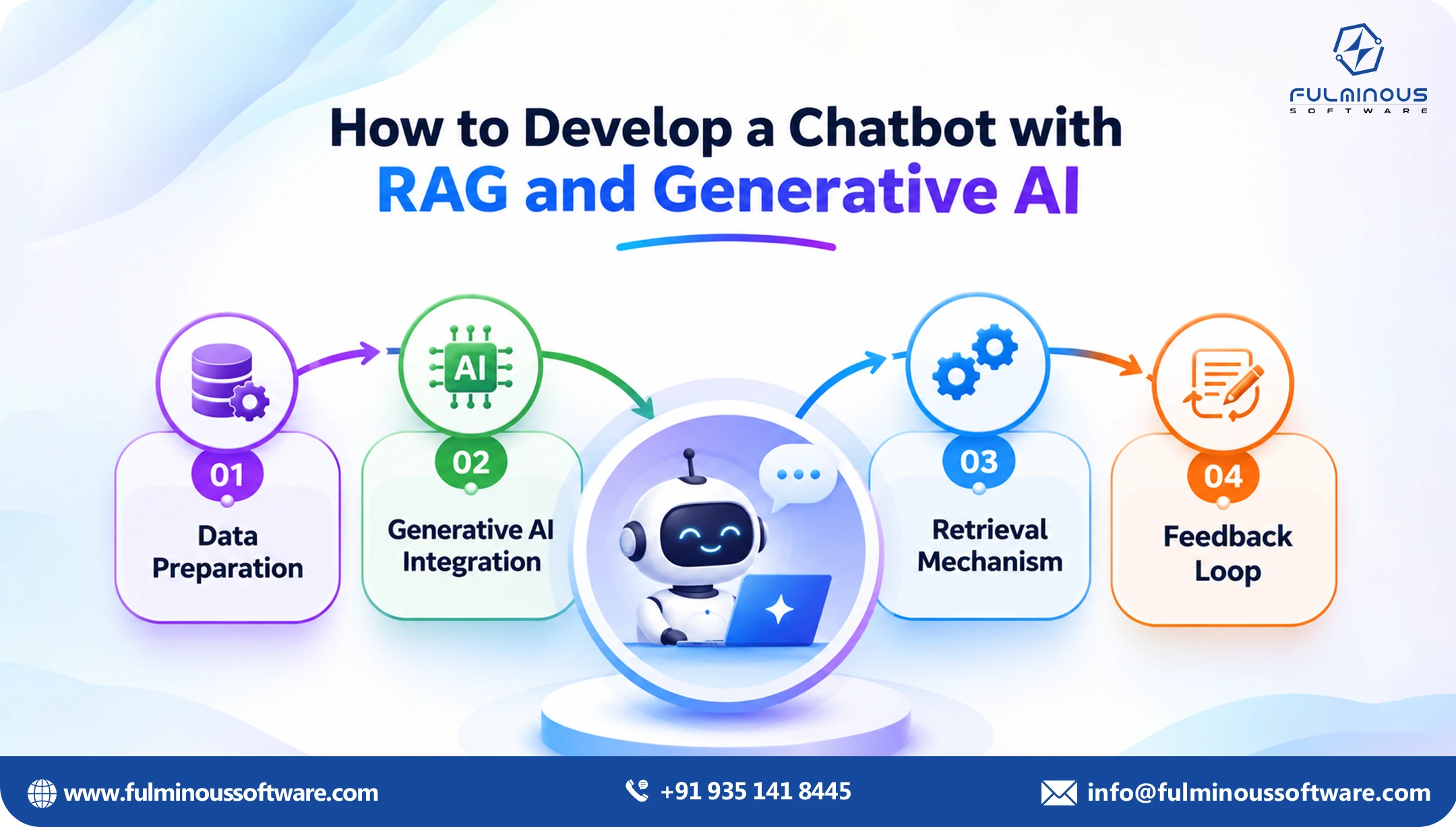
A Practical Build Plan
Here is a general practical build plan for your RAG development project. This helps you to set a timeline and go ahead wisely:
Discovery and data audit (1 to 2 weeks). Agree on the use case, the users and what “good” looks like. Review the documents.
Prototype (2 to 4 weeks). Build a working version on a slice of the data so people can try it.
Evaluate and tune (2 to 4 weeks). Run the test questions, fix retrieval, adjust prompts, and improve weak spots.
Production hardening. Add security, permissions, integrations, logging and monitoring.
Launch and improve. Release to a pilot group, track results, and widen access step by step.
Track numbers that matter to the business: how often answers are correct, how often citations are right, how many questions are solved without a human, time saved per person, and the thumbs-up rate from users.
Security and Governance
Product and IT leaders usually ask about security and governance early, and they should. As the bot deals with valuable data of your businesses, it's worth it to recheck the security and governance. Check that your RAG development covers:
- Access rules that follow your existing permissions.
- Masking of personal data before it reaches the model.
- A clear promise that your data is not used to train public models.
- Logs of who asked what, and what the bot answered.
- Hosting that matches your data location rules, including private cloud or on-premises if needed.
Why Choose Fulminous for RAG Chatbot Development?
There are plenty of vendors who can connect an LLM to a folder of PDFs in a weekend. Making it accurate, safe and useful for real people is the harder task. Fulminous Software has been doing the same for years with 100% accuracy.
With experience in 10+ RAG chatbot development projects for different types of companies, our team knows how to implement RAG tech in each scenario. Here is how we offer RAG chatbot development.
We start with your business problem. Before we pick a tool, we ask what decision or task the bot should make easier, and how you will know it worked.
We look at your data first. We audit your documents early, tell you what needs cleaning, and set clear expectations. This one step saves more money than any clever model choice.
We give honest advice on the approach. If RAG fits, we build it. If you need fine-tuning, tools or a simpler search, we say so, even when it means a smaller project.
We test before we launch. Every build comes with a set of real questions and expected answers, so quality is measured and not assumed.
We build security in from day one. Permissions, data masking and audit logs are part of the design, not an add-on at the end.
We have shipped this before. Our ChatAssist and AutoDoc projects show how we handle chatbots and document-heavy work in practice.
We give clear estimates and a path to scale. You get a priced pilot, a plan for production, and a design that does not lock you into one model or one cloud provider.
Our AI chatbot team and generative AI engineers work together, so you do not hand work between vendors. Ready for your RAG chatbot development? Book an AI technical consultation and we will review your documents, your use case and your budget with you.
Now build RAG chatbots at the best prices!
RAG chatbot development works best when you treat it as a data and search problem first and a chatbot problem second. Clean documents, strong retrieval and honest testing matter more than which model you pick.
If accuracy on your own content is the goal, retrieval augmented generation for business is a safe and practical starting point. When you compare RAG vs fine tuning, remember that one gives the model knowledge and the other changes its behaviour. And when you plan your budget, remember that RAG development cost is mostly shaped by your data and your risk level, not by the AI itself.
If you are at the scoping stage, the next step is simple: book an AI technical consultation, bring a sample of your documents, and we will help you size the build.
FAQs
Q1. What is a RAG chatbot?
A RAG chatbot checks your documents first, then answers. It finds the right pages, reads them, and replies based on what it found. That’s why its answers are more accurate and why it can point to the source.
Q2. Why do companies use retrieval augmented generation for business?
Because general AI models do not know your private information and may guess when they are unsure. RAG connects the model to your approved documents, which gives you accurate, up-to-date and traceable answers without retraining a model each time something changes.
Q3. How much does RAG development cost?
It depends on your data, security needs, integrations and volume. As a rough guide, a pilot can start in the tens of thousands of dollars, and a full production system costs more. The fastest way to get a real number is a short review of your documents and use case.
Q4. How long does it take to build a RAG chatbot?
A focused pilot usually takes 4 to 8 weeks. A production version with security, testing and integrations often takes 2 to 4 months. Messy data or many sources can stretch that.
Q5. RAG vs fine tuning: which should I choose?
If you need accurate answers from documents that change, choose RAG. If you need a fixed tone or format, or a narrow task done at high volume, consider fine-tuning. Many teams start with RAG and add fine-tuning later. The two can also work together.
Q6. Can a RAG chatbot stop hallucinations completely?
No, but it can reduce them a lot. Good retrieval, clear rules to answer only from the documents, citations and an “I don’t know” fallback all help. For high-risk topics, add human review.
Q7. Is our data safe in a RAG system?
It can be, if the system is designed for it. Look for role-based access, masking of personal data, private hosting options, activity logs and a written assurance that your data will not be used to train public models.
Q8. Which vector database should we use for RAG chatbot development?
There is no single best one. Pinecone, Weaviate, Qdrant, OpenSearch and pgvector all work well. The right choice depends on your data size, your existing cloud setup, your team’s skills and your security rules. If you already run PostgreSQL, pgvector can be a simple start.
Q9. How do we measure whether the RAG Chatbot is accurate?
Write down a list of real questions your team or customers actually ask, along with the correct answer to each one. Then run the bot through that list and mark how it does. For every question, check three things: did it find the right pages, does its answer match what those pages say, and does the source it points to really support the answer? Run the same list again every time you change something, so you can see right away if a fix helped or broke something else.
Q10. Can RAG Chatbot work inside Slack, Teams or our website?
Yes. A RAG chatbot is the brain behind the scenes, and it can be connected to chat tools, your website, a help desk or your own apps through an API. Each connection adds some build time, so list the ones you need early.
 Verified
Expert in Software & Web App Engineering
I am Manish Kumawat, co-founder of Fulminous Software, a top leading customized software design and development company with a global presence in the USA, Australia, UK, and Europe. Over the last 10+ years, I am designing and developing web applications, e-commerce online stores, and software solutions custom tailored according to business industries needs. Being an experienced entrepreneur and research professional my main vision is to enlighten business owners, and worldwide audiences to provide in-depth IT sector knowledge with latest IT trends to grow businesses online.
Partner with Top-Notch Web Application Development Company!
Discuss your Custom Application Requirements on info@fulminoussoftware.com or call us on +91-935 141 8445.
15 Days Risk-Free Trial