
How to Integrate AI (LLMs) with Existing CRM, ERP and Business Systems

Manish Kumawat
Last Updated on: 17 November 2026



Every business today knows what AI has to offer, and many want it in their business environment as soon as possible. The major concern is: they do not want to build an entire system from scratch to get there. CTOs and IT directors keep asking the same questions. Will adding AI affect the core systems of our business functions? How can we bring it into our existing systems without interrupting day-to-day work? And how do we keep the essence of the current systems we have spent years building?
Then, here is the good news. AI integration with existing systems does not need a rebuild, nor does it break your core business systems. You can integrate AI into existing software the same way you add any other capability: through clear interfaces, a small first scope, and respect for what already works. You do not need to replace Salesforce, SAP, Dynamics or the custom app your finance team depends on.
This guide explains how to do it in the easiest way. We address these concerns by adding AI to a company’s current systems rather than replacing them. We will discuss what the work actually involves, the patterns that work best, how to connect a large language model to a CRM or ERP, how to keep your data safe, and how to run the whole thing as a small, controlled project instead of a risky transformation.
Table of Contents
15 sectionsWhy you do not need to rebuild anything
The sales head saw an LLM demo and now wants it by next quarter. Someone sends the CTO an article about a competitor going "AI-first." Meanwhile, you are looking after a CRM that took two years to set up, an ERP nobody wants to rework, and a handful of internal tools that quietly hold the business together.
A lot of AI advice quietly assumes you are starting fresh. AI development companies talk about "AI-native platforms" and "modern data stacks," and it can sound like your current setup is a problem to be fixed before anything useful can happen.
It is not. Your existing systems are the reason your business runs. They hold years of customer history, pricing rules, approval flows and compliance logic. If you run a survey in your business, most of the employees and management poll to not change the entire systems they have been using and proficient. Replacing them to get AI would cost far more than the AI itself, and most of the risk would come from the replacement, not the new feature.
An LLM is software that takes text as input and returns text as output. It does not care whether the text came from a 2009 database or a new SaaS tool. If you can get data out of a system and put a result back in, a model can sit in the middle. That is the whole idea.
So the question changes. It stops being "What do we need to rebuild systems to use AI?" and becomes "Where in our current workflows would reading, summarising, drafting or classifying text save real time?" That is a much smaller and much safer question.
The new capabilities are introduced in stages and fit around existing workflows, so daily operations continue as normal, teams are not disrupted, and everything that already works stays the same.
What AI integration with existing systems actually means
When businesses hear "AI integration with existing systems," they picture something huge, costly and breaking the whole business environment. In practice, AI integration with existing systems usually means one of a few small, concrete things:
- Your CRM sends a customer email thread to a model and gets back a short summary and a suggested reply.
- Your ERP sends a messy supplier invoice to a model and gets back clean, structured fields ready to post.
- When a ticket comes in, your support system forwards it to the model, and the model sends back a category, a priority, and a first draft of the response.
- Your staff type a question in plain English and get an answer pulled from internal documents.
In every case, the existing system stays where it is. It remains the system of record. The AI is an extra step in a workflow, not a replacement for the workflow. There are really only three jobs involved:
Get the right data to the model. This means pulling records, documents or messages from your systems, and only the ones the model needs.
Ask the model to do something specific. Summarise, extract, classify, draft or answer. Clear, narrow tasks work better than vague ones.
Put the result back safely. Write it to a field, a draft, a queue or a screen where a person can review it.
Everything else, including security, logging and cost control, supports those three jobs. For example, if your business is using Salesforce for CRM tasks, the platform remains the same with minute changes, but it delivers better results with maximum efficiency. There will be no interruptions or downtime while adding the LLMs to the systems.
The four patterns that cover most projects
Almost every successful project of AI integration with existing systems we see falls into one of four patterns. Knowing them helps you scope fast.
Pattern 1: Direct API calls from your existing code
This is the simplest form of AI API integration. A piece of your current software calls a model provider's API, sends some text, and uses the response. For example, a button in your CRM that says "Summarise this account" calls a small function, which calls the model, which returns a paragraph.
It works well when the task is small, the data is already in one place, and you only need one or two use cases. It gets messy when many teams start doing the same thing in different ways, which is why the next pattern exists.
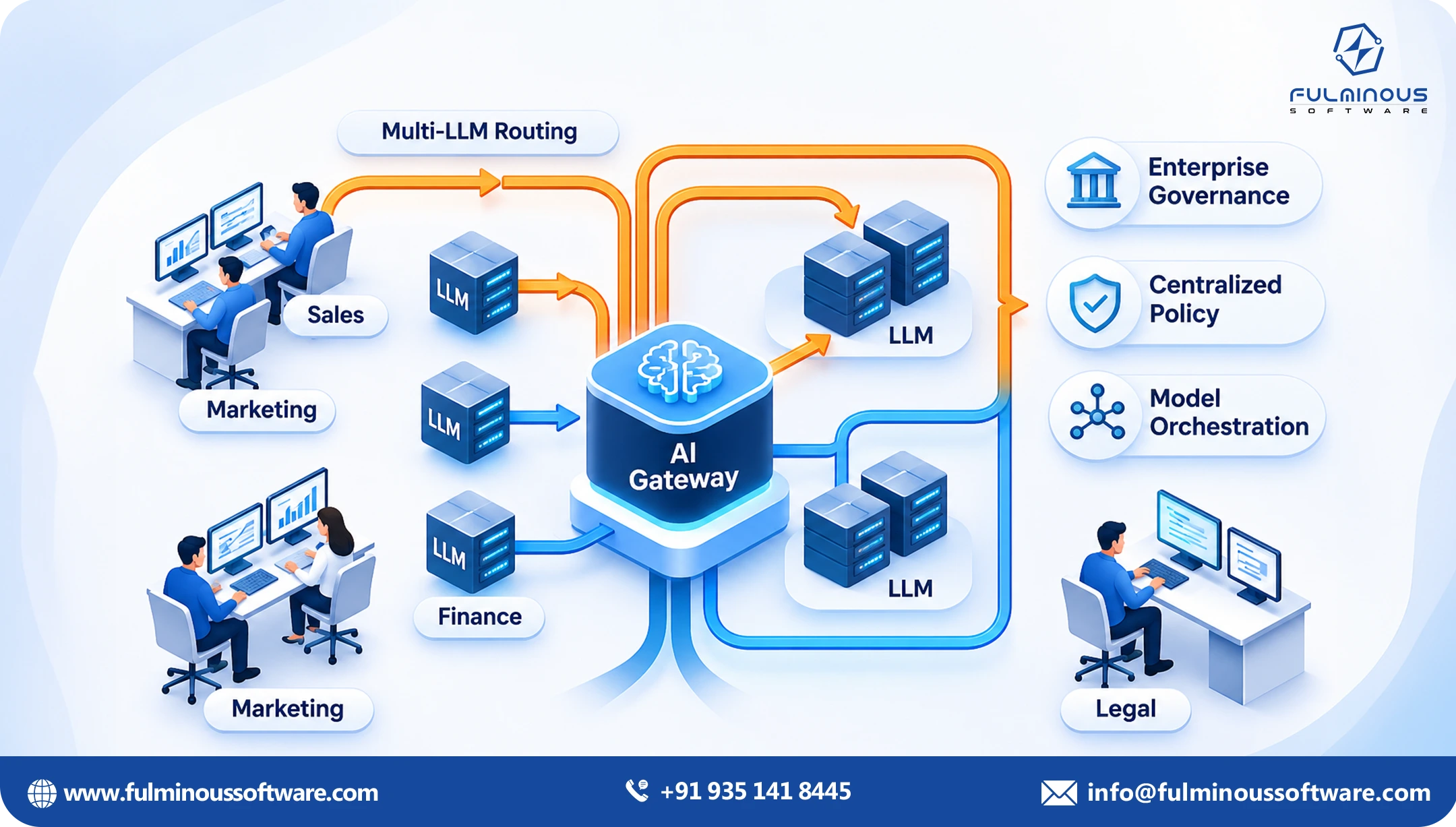
Pattern 2: A shared AI gateway or service layer
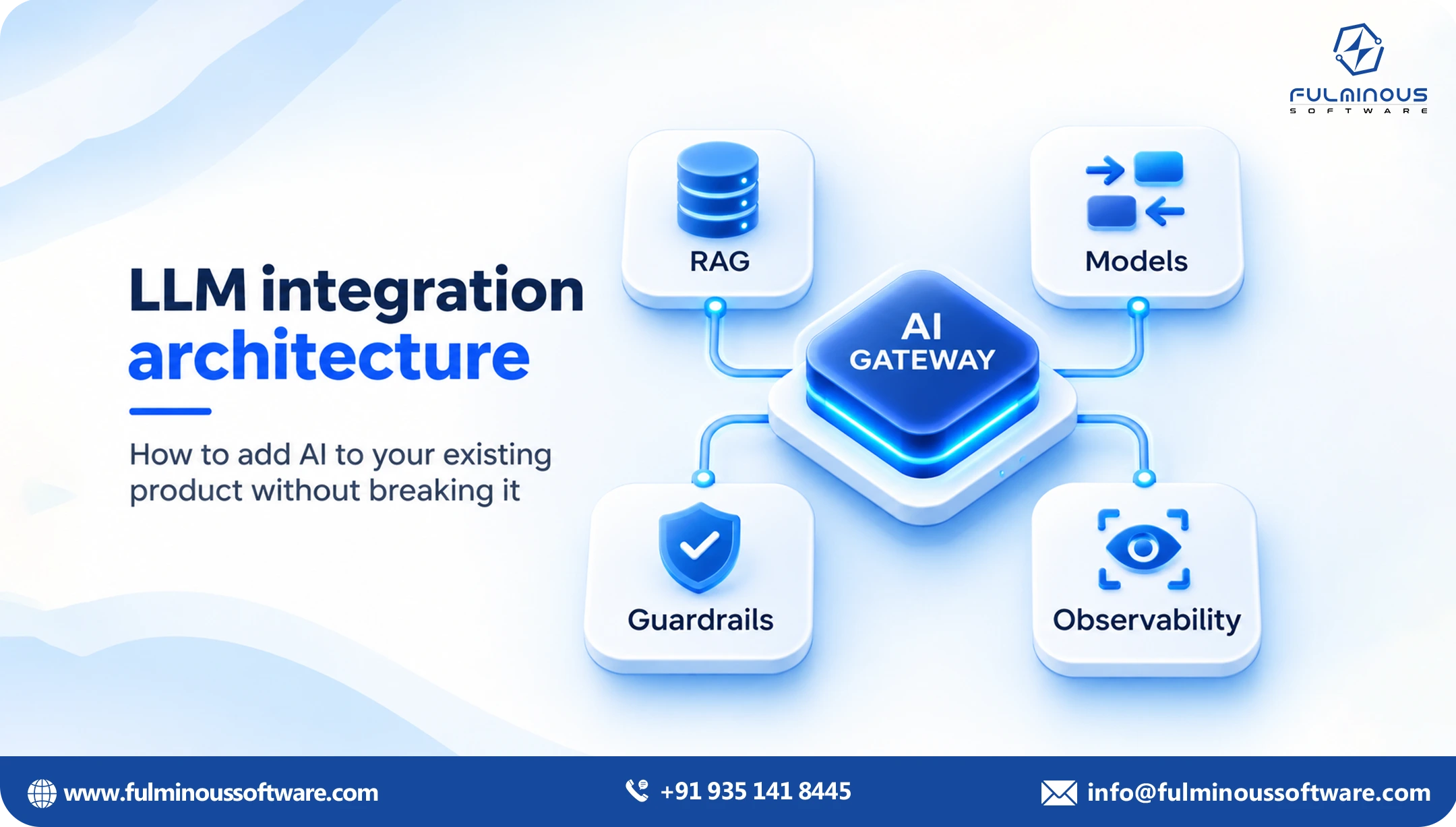
Instead of every app talking to the model directly, you build one internal service that does. Your CRM, ERP and helpdesk all call this service. It handles authentication, logging, prompt templates, cost limits and switching between model providers.
This is where mature LLM integration ends up. One door in, one place to enforce rules, and one place to change when a better model arrives. If you expect more than two or three use cases, plan for this early, even if you start small.
Pattern 3: Retrieval over your own documents
Most businesses have knowledge locked in PDFs, wikis, contracts, emails and shared drives. Retrieval means the system first finds the few relevant passages from your own content, then hands them to the model along with the question. The model answers using your material instead of guessing.
This is the pattern behind internal assistants, policy lookups, proposal helpers and support answers. It is also the one that needs the most care around permissions, because the assistant must never show someone a document they could not open themselves.
Pattern 4: Workflow automation with a human check
Here the model does not just answer. It takes a step in a process: it reads an incoming order, extracts the details, checks them against rules, and prepares the entry. A person approves it before it is posted. Over time, low-risk cases can go through without review while unusual ones are flagged.
Start with a human in the loop. You can loosen it later with real data on how often the model is right.
Integrating AI with your CRM
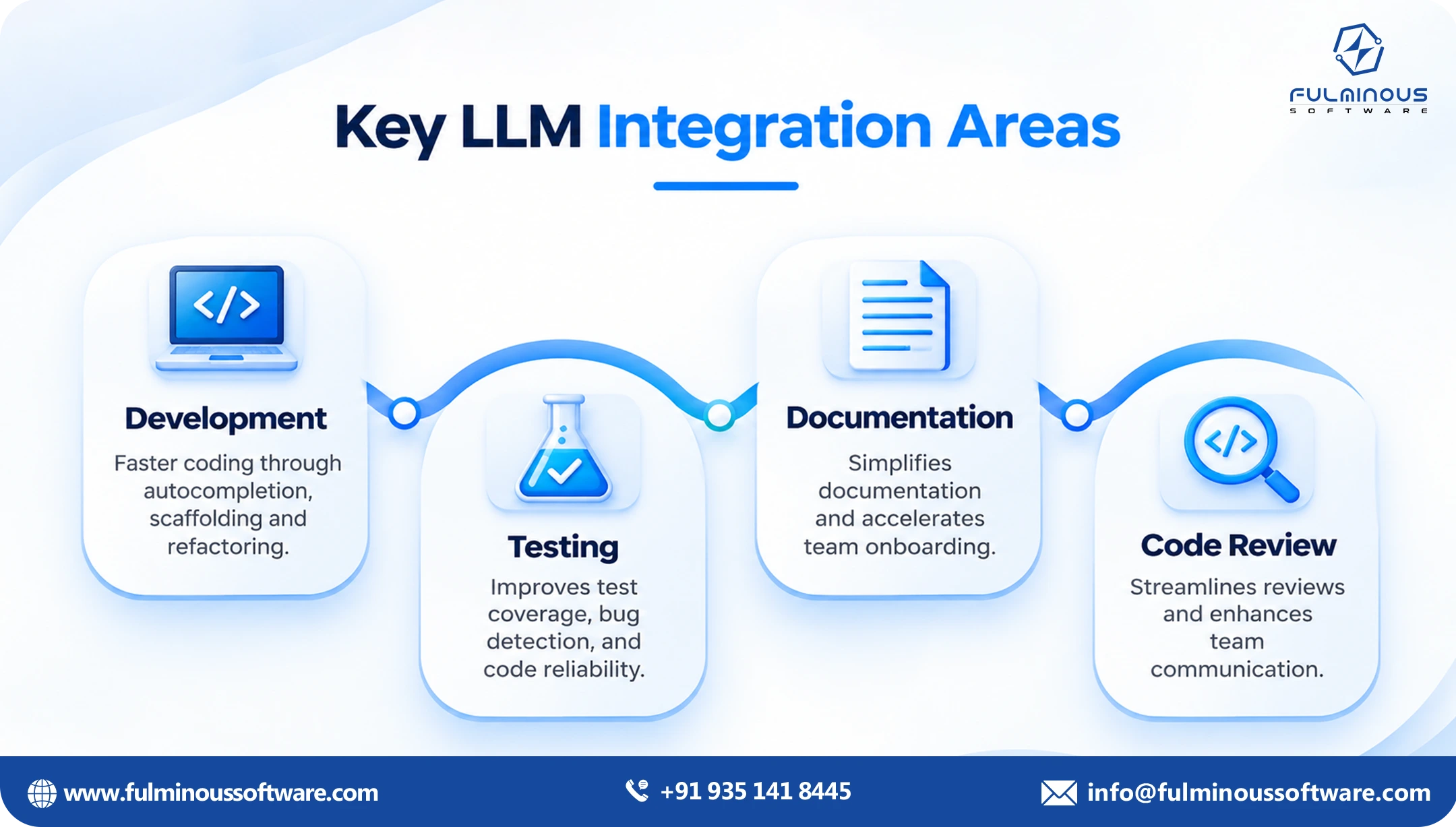
Your CRM is usually the easiest place to start, because the value is easy to see and the data is already well organised. So the AI integration with crm will be fast and get the best results. No matter which crm platform your team is using currently. Today, most modern CRMs, including Salesforce, HubSpot and Dynamics 365, have APIs, webhooks and extension points that make this straightforward. So, you get a more productive crm platform.
Good first use cases:
Account and deal summaries. Opens a record and sees a short brief built from notes, emails and past activity.
Call and meeting notes. A transcript goes in, and structured notes, action items and next steps come out as CRM fields.
Email drafting. The model drafts a reply using the account history. The rep edits and sends.
Lead scoring and routing with reasons. The model reads the enquiry and explains why a lead looks strong or weak.
Data cleanup. Duplicate detection, company name matching and filling in missing fields.
How it connects: The usual route of connection is an event. A record changes or a user clicks a button, which triggers a call to your service layer. The service pulls the extra context it needs through the CRM's API, builds the request to the model, and writes the response back as a note, a task or a draft field.
Two things to watch when you integrate AI to crm. First, respect the CRM's permission model, so the model only sees what that user is allowed to see. Second, write AI output into clearly labelled fields so nobody mistakes a draft for a confirmed fact.
Integrating AI with your ERP
ERP systems are one of the areas where AI brings a lot of advantages. But ERP systems are different. They are less forgiving, the data is more sensitive, and mistakes cost real money. That does not mean AI is a bad fit. It means you should choose use cases where the model prepares and a person or a rule engine decides. A well-planned process of integrating AI with your ERP will bring you the best results.
Good first use cases:
Invoice and document capture. Supplier invoices, purchase orders, delivery notes and receipts arrive in all shapes. A model can pull out the fields and match them to existing records.
Exception handling. When a three-way match fails, the model can explain the difference in plain language and suggest the likely cause.
Natural language reporting. Finance or operations staff ask for a report in plain English and the system builds the query against approved views.
Demand and stock commentary. The model writes a short explanation of why numbers moved, based on data your team already trusts.
Vendor and contract queries. Staff ask questions about terms across hundreds of contracts.
How it connects: Older ERPs may not have friendly APIs. That is common conern, and it is solvable by top AI experts. Options include the vendor's official integration layer, a middleware tool, scheduled exports, or a small adapter service that reads from a reporting database. Avoid writing straight into core tables. Always go through the ERP's own validation, whether that is an API, an import routine or a staging table.
One rule worth repeating: the model should never be the final authority on a financial posting. It proposes; your existing rules and approvals decide.
Integrating AI with internal tools and legacy systems
Every company has systems that are not available for customers but that are an integral part of the internal business tasks. A custom booking tool, an old Access database, a ticketing system built in-house, a set of spreadsheets that someone's job depends on. These are often where the biggest time savings hide.
A few practical approaches:
If it has a database, read from a copy. A read-only replica or a nightly export keeps risk low and removes any chance of slowing the live system.
If it has no API, build a thin one. A small wrapper service that exposes just the three or four actions you need is far cheaper than modernising the whole application.
If it only has a screen, use it last. Screen automation is fragile. Try every other route first.
If the data is in documents, start with retrieval. Pattern 3 often delivers value without touching the legacy system at all.
The pattern of AI integration is the same each time. Do not change or break the old business system more than you have to. Build a clean edge around the internal tools you want to change, and let the AI work at that edge.
A simple architecture that works
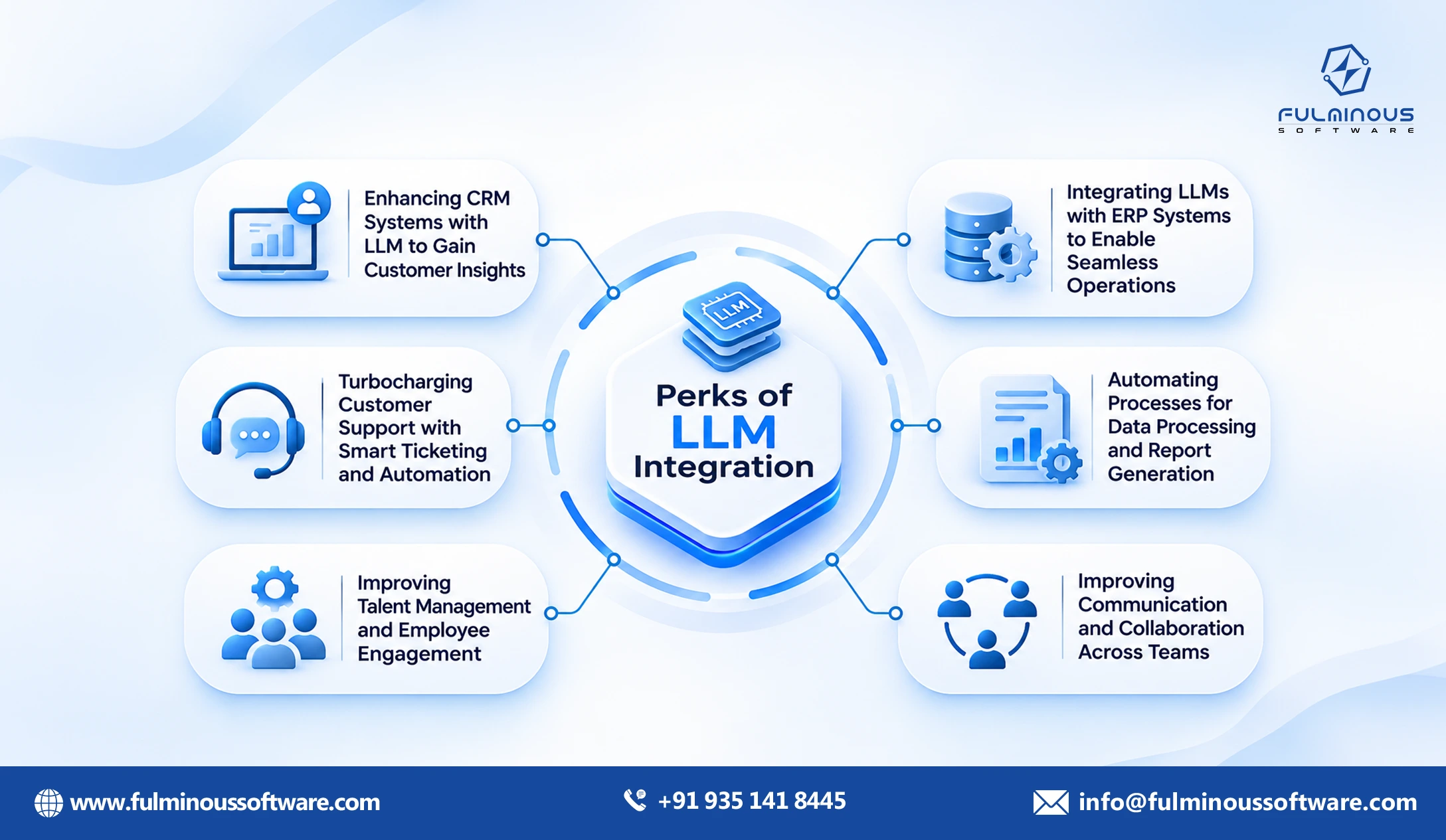
Want a manageable architecture that eliminates AI integration complexities? You do not need anything exotic or premium-looking always. Most good designs look like this, from the user's side inward:
Layer 1: The place people already work. The CRM screen, the ERP form, the helpdesk, a chat window or an email add-in.
Layer 2: A small integration service. This receives the request, checks who is asking, gathers the right data and decides what to send.
Layer 3: A prompt and rules layer. Tested templates for each task, plus checks on inputs and outputs, such as masking personal data or rejecting answers that do not match the expected format.
Layer 4: The model provider. One or more hosted models, or a model running in your own cloud account.
Layer 5: Logging and review. Every request and response is recorded so you can audit, debug and measure quality.
This layered approach of the architecture is what keeps LLM integration manageable. If you change model providers, only layer 4 of the design changes. If a prompt needs fixing, you fix it in one place instead of hunting through three applications.
Security, privacy and control
Security, privacy and control need to be managed while we add AI to the current business systems. For CTOs and IT directors, this is usually the part that decides whether a project goes ahead. It deserves real attention. While adding AI to your current systems, the security, privacy and control need to be stronger than earlier.
Know where data goes: Decide which data may leave your environment and which may not. Many providers offer business plans where your data is not used for training, and some let you run models inside your own cloud account or region. Read the terms, and get them in writing.
Minimise what you send: The model rarely needs the whole record. Send only the fields required for the task. Mask names, account numbers and other sensitive values when the task does not need them.
Respect existing permissions: An AI assistant should never become a back door. If a user cannot open a document in your system, the assistant must not quote it to them. Build permission checks into the retrieval step, not as an afterthought.
Keep a human in charge of high-impact actions: Drafts, suggestions and summaries are low risk. Sending money, changing contracts or messaging customers automatically is not.
Log everything: Store inputs, outputs, the model version and who approved what. When something goes wrong, and eventually something will, you want to be able to explain exactly what happened.
Plan for wrong answers: Models can sound confident and be incorrect. Design the screens so staff can see the source of an answer, and make it easy to correct and report errors.
A step-by-step plan to integrate AI into existing software
Remember that the process to integrate AI into existing software is not a single-step task. Here is the sequence we recommend if you want to integrate AI into existing software without disrupting the business.
Step 1: Pick one workflow, not one technology
Do not start the process to integrate AI into existing software with "we need an LLM." Start with a process that is slow, repetitive and text-heavy. Ask the people doing the work where they lose time. Look for tasks that involve reading something long, copying details between systems, or writing similar messages again and again.
Step 2: Measure the current state
Write down how long the task to integrate AI into existing software takes now, how many times a week it happens, and how often it goes wrong. Without this, you cannot prove the project worked, and you will struggle to get approval for the next one.
Step 3: Check the data and the access points
Find out where the data lives, who owns it, and how you can reach it. Does the system have an API? Can you get a safe export? Is the data clean enough? This short check often decides which pattern fits and how big the llm integration services project will be.
Step 4: Define "good enough" before you build
Agree on what LLM integration services success looks like. Maybe the draft must be usable without edits 70 percent of the time. Maybe extraction accuracy must reach 95 percent on a set of real invoices. Build a small test set from real, anonymised examples so you can check progress honestly.
Step 5: Build the thinnest working version
Connect one system, one model and one workflow. Keep the human review step alive. A first version in a few weeks teaches you more than a long design phase. This is where the AI API integration itself gets built, including authentication, error handling, retries and basic cost limits.
Step 6: Pilot with a small group
Give it to five to ten real users. Watch how they use it. Collect their corrections, because those corrections are the best material for improving your prompts and rules.
Step 7: Review the numbers, then decide
Compare against the baseline from Step 2. If it saves time and the quality holds, expand to more users or a second use case. If it does not, you have spent a small amount to learn that, which is exactly the point of a scoped start.
Step 8: Move to a shared layer
Once you have two or three working use cases, pull the common parts into the gateway described earlier. Shared logging, shared security checks and shared cost controls make every later project faster.
Common mistakes to avoid
We see the same problems again and again when businesses integrate AI into existing software. Most are easy to avoid once you know about them.
Starting too big. A project called "AI transformation" tends to get stuck. A project called "automate invoice capture for accounts payable" tends to ship.
Ignoring data quality. A model cannot fix a CRM full of duplicates and empty fields. Sometimes the first job is a small cleanup, and the model can help with that too.
Skipping the test set. If you only judge output by eye on a few examples, you will be fooled. Test against a proper sample and track results over time.
Letting every team build its own version. Five teams calling five different models in five ways becomes a support and security headache. Agree on a shared approach early.
Treating the model as the whole product. The model is one part. The value comes from the data, the workflow, the review step and the way it fits into how people already work.
Forgetting change management. If staff do not trust the tool or were never told why it exists, they will ignore it. Involve them early and show them what is in it for them.
Locking into one provider. Models improve and prices change quickly. Keep the model behind your own service layer so you can switch without rewriting your applications.
What does it cost, and how do you keep it under control?
Costs to integrate AI into existing software come from three places: the build work, the model usage, and ongoing care. Build work depends on how many systems you touch and how messy their interfaces are. Connecting to a modern CRM with a good API is quick. Reaching into a twenty-year-old system with no documentation takes longer. This is why a short discovery phase pays for itself.
Model usage is charged by volume, usually by the amount of text sent and received. For most business tasks, the cost per action is small, often a fraction of a cent to a few cents. It adds up with scale, so set budgets and alerts from day one, and use smaller, cheaper models for simple tasks.
Ongoing care includes monitoring quality, updating prompts, handling model version changes and responding to user feedback. Plan for it, just as you would for any other production service.
The cleanest way to manage all this is to treat every integration as its own scoped project. Each one has a clear goal, a fixed first phase, a defined set of systems, a success measure and a decision point at the end. You approve ai api integration on its own merits. If it works, you start the next ai api integration. If it does not, you stop. That keeps AI integration with existing systems predictable for finance and low risk for operations, and it is how we approach every engagement.
LLM integration services in-house or bring in a partner?
There is no single right answer for choosing LLM integration services: in-house or hire a partner. A few questions help you decide the best LLM integration services.
- Does your team already have engineers who know how to work with model APIs, retrieval and evaluation?
- Do they have the time, given everything else on their plate?
- Does the project touch systems your team does not know well, such as an older ERP?
- Do you need to move faster than you could hire?
Many teams find a mixed approach works best. But when you hire a leading AI integration agency like Fulminous Software, the ai api integration partner handles all projects and sets up the shared layer. Whichever route you take, make sure you keep the code, the prompts and the documentation, so you are never dependent on anyone.
Fulminous Software: The best LLM integration services
Fulminous Software helps businesses add AI to the systems they already run, without a rebuild. Here are the eight qualities we hold ourselves to on every project. We build around your CRM, ERP and internal tools instead of asking you to replace them. Your systems stay the source of truth.
Each integration has a defined goal, a fixed first phase, a list of systems involved and a decision point at the end. You know what you are approving before we start. We pick one workflow, build the thinnest working version and measure it against your current numbers. You expand only when the results justify it.
Fulminous Software sends only the data a task needs, respects your existing permissions, keeps full logs and can work inside your own cloud account when your policies require it. We design review steps so your staff can see the source of an answer, correct it and approve important actions before anything is posted or sent. No jargon walls.
We explain what we are building, why, and what it will cost to build and to run, in words your whole team can follow. The model sits behind your own service layer, so you can switch providers later. You keep the code, the prompts and the documentation.
Fulminous Software monitors quality, updates prompts, handles model changes and trains your team, so the integration keeps working long after the pilot ends. If these qualities match how you want an AI project to run, talk to our team about your integration.
Now Integrate AI (LLMs) With Your Existing Systems
You do not have to choose between your current systems and AI. The companies getting real value are not the ones who replaced everything. They are the ones who picked a narrow problem, connected a model to the systems they already had, kept people in control, and measured the result.
AI integration with existing systems is mostly about clean interfaces, not new platforms. You can integrate AI into existing software one workflow at a time. Good LLM integration puts a shared service layer between your applications and the model. And careful AI API integration, with security, logging and review built in, is what turns a demo into something your teams trust.
If you have a workflow in mind and want to know what it would take, the best next step is a short conversation about scope. Discuss an AI integration project with our team, and we will help you work out the systems involved, the right pattern, and a realistic first phase.
FAQs
Q1. Can we add AI to our current systems without replacing them?
Yes. In most cases the existing CRM, ERP or internal tool stays exactly as it is. A small integration layer sends the right data to a model and returns the result into a field, draft or screen. Your system remains the source of truth.
Q2. How long does a first AI integration take?
A focused first project, such as summarising CRM accounts or extracting data from invoices, can often reach a working pilot in four to eight weeks. Older systems without good APIs, or projects with strict compliance needs, can take longer. A short discovery phase gives you a more reliable estimate.
Q3. Which CRM and ERP systems can be connected to an LLM?
Almost any system that can export data or expose an interface can be connected. Salesforce, HubSpot, Dynamics 365, SAP, Oracle, NetSuite and custom-built tools are all common. The effort depends on how open the system is, not on its brand.
Q4. Is it safe to send company data to an AI model?
It can be, if you set it up properly. Use business-grade provider plans with clear data terms, send only the fields the task needs, mask sensitive values, enforce your existing permissions, and keep detailed logs. For very sensitive data, you can run models inside your own cloud account.
Q5. What is the difference between LLM integration and a normal API integration?
A normal integration moves structured data between systems using fixed rules. LLM integration adds a step where a model handles flexible text, such as reading an email or a contract. The output is less predictable, so you need extra checks, testing and human review that a standard integration does not require.
Q6. Do we need to clean our data first?
You do not need perfect data, but you do need data that is good enough for the task. Check quality early, on the specific fields the use case depends on. Often a small cleanup, sometimes done with the help of a model, is enough to get started.
Q7. Will the AI make mistakes, and how do we handle that?
Yes, sometimes. Models can be wrong while sounding sure. That is why we recommend keeping a person in the loop for important actions, showing the source behind each answer, testing against real examples, and tracking accuracy over time. Low-risk tasks can be automated further once the numbers support it.
Q8. How much does AI API integration cost to run?
Model usage is typically priced by volume of text, and most business tasks cost only a small amount per action. The larger costs are usually the build work and ongoing monitoring. Set budgets and usage alerts from the start, and use smaller models for simple tasks to keep costs down.
Q9. How do we know if an AI integration project is worth doing?
Measure the current process first: time taken, volume and error rate. Then set a clear target for the pilot. If the pilot beats the baseline by enough to justify the build and running cost, expand it. If not, stop, having spent very little. Treating each integration as a small, scoped project makes that decision easy.
 Verified
Expert in Software & Web App Engineering
I am Manish Kumawat, co-founder of Fulminous Software, a top leading customized software design and development company with a global presence in the USA, Australia, UK, and Europe. Over the last 10+ years, I am designing and developing web applications, e-commerce online stores, and software solutions custom tailored according to business industries needs. Being an experienced entrepreneur and research professional my main vision is to enlighten business owners, and worldwide audiences to provide in-depth IT sector knowledge with latest IT trends to grow businesses online.



Partner with Top-Notch Web Application Development Company!
Discuss your Custom Application Requirements on info@fulminoussoftware.com or call us on +91-935 141 8445.
15 Days Risk-Free Trial